SpeechJammer
Publisher Description
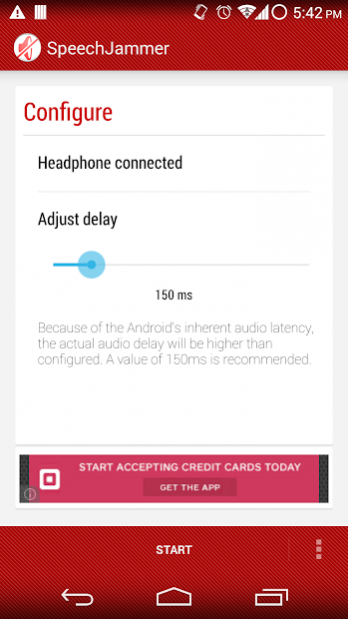
Just try to talk with this app on, it won't be easy! 📢
NOTE: Please use headphones.
With SpeechJammer, you can literally "jam" someone's voice. Through the Delayed Auditory Feedback effect, the speaker will have trouble articulating while speaking, effectively inhibiting his or her speech!
To put it briefly, the effect occurs when you hear your own voice at a slight delay. Many people tend to start mumbling, and therefore "jamming" speech. Works best if you try to read something!
Please use headphones, because using this app on speakers would generate significant audio feedback. Using the app in a somewhat silent room also improves the jamming effect.
🎵 🎵 🎵
Inspired by SpeechJammer by Kazutaka Kurihara
https://sites.google.com/site/qurihara/top-english/speechjammer
Source can be found at:
https://github.com/icechen1/SpeechJammer
Permissions:
Record_Audio: Self explanatory.
Change Audio Settings: Needed to detect if the headphone is plugged in.
Internet/Access_Network_State: Used to show MoPub/Admob ads.
About SpeechJammer
The company that develops SpeechJammer is Morning Rain. The latest version released by its developer is 1.0 . This app was rated by 1 users of our site and has an average rating of 3.0.
To install SpeechJammer on your Android device, just click the green Continue To App button above to start the installation process. The app is listed on our website since 2016-11-11 and was downloaded 33 times. We have already checked if the download link is safe, however for your own protection we recommend that you scan the downloaded app with your antivirus. Your antivirus may detect the SpeechJammer as malware as malware if the download link to com.icechen1.speechjammer is broken.
How to install SpeechJammer on your Android device:
- Click on the Continue To App button on our website. This will redirect you to Google Play.
- Once the SpeechJammer is shown in the Google Play listing of your Android device, you can start its download and installation. Tap on the Install button located below the search bar and to the right of the app icon.
- A pop-up window with the permissions required by SpeechJammer will be shown. Click on Accept to continue the process.
- SpeechJammer will be downloaded onto your device, displaying a progress. Once the download completes, the installation will start and you'll get a notification after the installation is finished.
Program Details
System requirements
Download information
Pricing
Version History
version Varies with device
posted on 2016-11-11
1.5.5:
Integrated module to enable future promotion
1.5.4:
Fixed some crash issues
1.5.3:
Added option to remove ads via in app purchase
version
posted on 2016-02-21
1.5.4:,Fixed some crash issues,1.5.3:,Added option to remove ads via in app purchase
version 1.3
posted on 2013-06-12
Several fixes and updates
